How Do You Schedule a Freight Elevator for an Event in NYC?
Last Updated: November 6, 2026
Quick Summary
To schedule a freight elevator for an event in NYC, contact the building's management office first, since property management controls the freight elevator and grants reservations. Submit a complete written request with your load-in and load-out windows, vendor list, certificate of insurance, and crew count, then get the confirmed slot in writing.
- Start with building management, not the venue's sales contact, because only they grant elevator reservations.
- Include your COI naming the building's exact legal entity and the required liability limits.
- Request the window your crew actually needs plus buffer, since tight slots read as unrealistic.
- After-hours slots need a separate confirmation that a building staff member will operate the elevator.
- Confirm the slot again 48 hours out and keep a backup plan in your load-in template.
Table of Contents
- Why the Freight Elevator Decides Your Event Timeline
- Who to Contact: Building Management, Property Management, and Venue Staff
- Step 1: Submit the Elevator Reservation Request
- Step 2: Get Approval and Confirm Your Reservation Window
- Step 3: Lock In Your Event Load-In Schedule Template
- Step 4: Work Through the Freight Elevator Load-In Checklist
- Step 5: Build Your Event Setup and Strike Timeline
- Coordinating the Loading Dock, Vendors, and Delivery Access
- After-Hours, Weekend, and Holiday Elevator Access
- Contingency Planning When the Elevator Slot Changes
- Frequently Asked Questions
Why the Freight Elevator Decides Your Event Timeline
The freight elevator is the single hardest constraint in your event timeline. Everything else flexes: your DJ can wait, your caterer can hold, your guests can mingle in the lobby. Your load-in window cannot flex, because building management hands out elevator reservations in fixed slots and the next tenant's move is already booked behind you.
That is the reality of scheduling a freight elevator for an event in NYC. Many buildings share one service elevator among tenants, vendors, and moves. When a slot disappears, it takes your setup schedule with it. We plan every delivery around the elevator reservation, because a booth stuck in a lobby is a booth nobody can use.
Here is the good news. The process follows a predictable path once you know who to call and what to submit. Below, we walk through the full workflow, from the first booking request to a contingency plan for the day the slot changes. If you want to see how venue logistics shape the rest of the planning picture, our NYC venue spotlights connect building rules to venue choice.
Who to Contact: Building Management, Property Management, and Venue Staff
Start with the building's management office, not the venue's sales contact. Building management or property management controls the freight elevator, and only they can grant a reservation. Venue staff can advocate for you, but they rarely control the schedule.
Ask three questions on your first call:
- Who approves elevator reservations, and what is the booking request process?
- What advance notice do you require for an event load-in?
- Are there blackout dates, tenant move conflicts, or after-hours restrictions?
Get the answers in writing. A verbal "should be fine" from a front desk attendant is not a reservation. You want the property management office to confirm your time slot by email, with the reservation window stated in hours.
One insider note: in larger office buildings, the community team or on-site staff who actually run the elevator on event day are often different people from the manager who books it. Send your final schedule to both.
Step 1: Submit the Elevator Reservation Request
File the reservation request as soon as your date and venue are locked. Many buildings ask for advance notice measured in weeks, and popular Friday and Saturday slots go first. A booking request submitted early also gives you room to adjust if the building comes back with a conflict.
Most visible guides stop at "contact the building." The part that actually decides whether your request is approved is how complete the packet is on the first submission. A property manager reviewing a stack of requests on a Monday morning approves the one that answers every question without a follow-up email. Build your request to be that one.
What Your Booking Request Must Include
A complete request moves through approval faster. Include every item below:
- Event date, plus your requested load-in and load-out windows, stated in clock times, not "evening"
- Company or planner name, on-site contact, and mobile number
- Vendor list with arrival times and vehicle types (box truck, sprinter van, passenger car)
- Certificate of insurance naming the building, landlord, and property manager as additional insured, with the general liability limits the building requires
- Equipment description: what is coming in, how many cases, and whether it rolls or needs a cart
- Number of crew members who will ride the elevator
- Whether you need loading dock or delivery access at the same time
- Whether the elevator needs padding, and who supplies it
Buildings also ask about elevator capacity and equipment transport, so describe your heaviest single item honestly. If you are unsure what a venue will expect, our guide to what to look for in event vendors covers the documents and coordination habits that keep approvals moving.
How the Request Actually Moves Through the Building
A common pattern in larger properties is a three-step review. The management office checks the calendar for conflicts with tenant moves and scheduled maintenance. The security desk or building engineer confirms the elevator can be taken offline for your window and whether staff coverage is needed. The property manager signs off and issues a written confirmation. Each step can add days, which is why submitting a complete packet early matters more than submitting a partial one fast.
Ask on your first call which step your request is sitting in and who owns it. A request that stalls is almost always waiting on one person, not lost in a system.
The Details That Get Requests Rejected
Most denials trace back to a handful of fixable problems:
- COI missing the right entity. The certificate must name the building owner or landlord exactly as it appears on the lease or management agreement, not just the venue's brand name. Ask management for the exact legal entity and the required limits before you send it to your insurer.
- Window too tight. A 30-minute slot for a vendor with a truck, carts, and a 60-minute setup reads as unrealistic to a reviewer. Request the window your crew actually needs, plus buffer.
- Vendor list incomplete. Buildings want to know every truck that will arrive. A vendor added after approval usually needs a new request.
- No after-hours plan. If your load-in falls outside business hours, the request needs to say who operates the elevator and who pays for staff coverage.
Watch out: a verbal "should be fine" from a front desk attendant is not a reservation, and a request that was never formally logged will not appear on the building's calendar when your truck arrives.
Confirm the Request Was Logged
Before you move to the next step, ask for a written acknowledgment that the request was received and is under review, with the date it was submitted. That timestamp is your leverage if the building later claims it never saw the request. Keep it with the confirmation email you will collect once the slot is approved.
Step 2: Get Approval and Confirm Your Reservation Window
Approval is not the finish line. Once building management signs off, confirm the reservation window in writing and check it against your vendor call times. A confirmed slot that starts an hour later than your caterer's arrival creates a problem you will spend event day solving.
What most guides miss is the gap between "approved" and "confirmed." Approval means the building said yes. Confirmation means the slot is on the building's calendar with your name on it. Ask for the confirmation email, then reply with your vendor schedule so the building can flag clashes before they happen.
Watch out: if your approval email lists a shorter window than you requested, do not assume you can run over. Move-out deadlines are enforced, and overstaying can affect your deposit and future bookings.
Step 3: Lock In Your Event Load-In Schedule Template
An event load-in schedule template is a shared document that lists every vendor, arrival time, elevator slot, and setup duration for the day. Build it once, share it with the building and every vendor, and update it as confirmations come in.
A workable template has five columns:
| Column | What to Enter | Example |
|---|---|---|
| Vendor | Company and on-site contact | Photo booth, attendant name |
| Arrival | Truck or crew call time | 2:00 PM |
| Elevator slot | Confirmed reservation window | 2:15-2:45 PM |
| Setup time | Minutes needed on site | 60 minutes |
| Strike window | Confirmed load-out slot | 10:30-11:00 PM |
Send the template to building management a week out and again 48 hours before. Buildings appreciate the heads-up, and vendors who see the full picture stop showing up early and clogging the loading area.
Step 4: Work Through the Freight Elevator Load-In Checklist
A freight elevator load-in checklist is the ordered list of tasks your crew completes between arrival and the start of setup. Work it in sequence, and load-in stops being the chaotic part of event day.
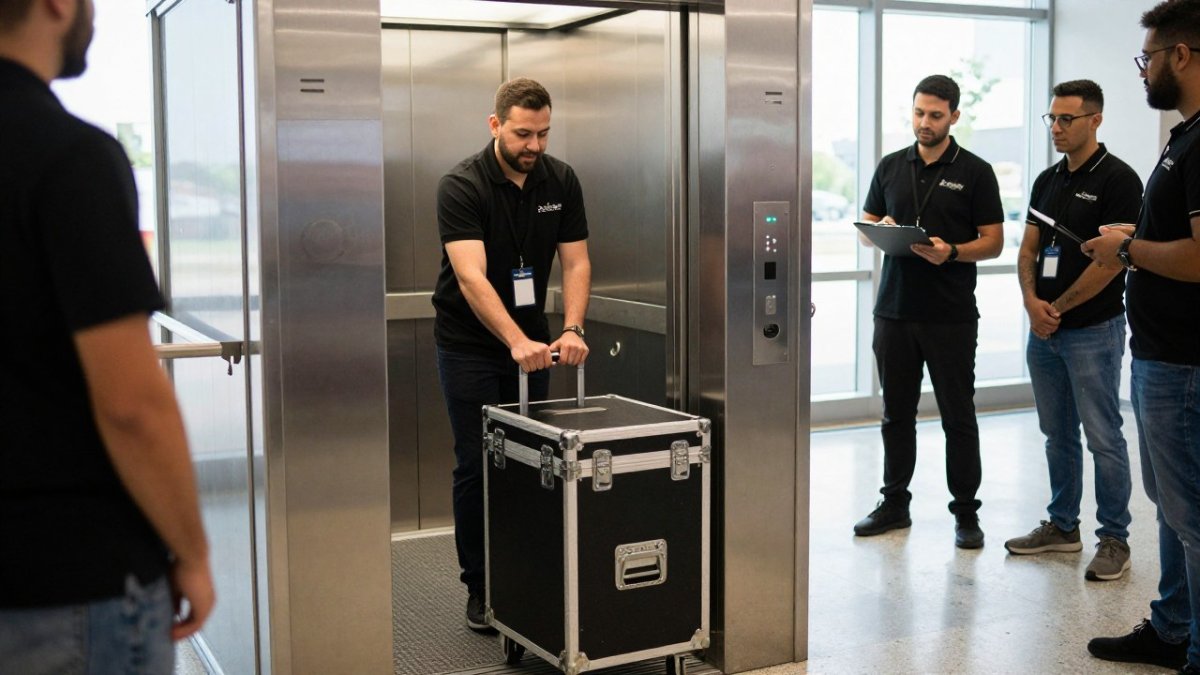
Run these items in order:
- Check in with building security and show the reservation confirmation
- Confirm the elevator is padded or protected before loading
- Stage equipment in the loading area without blocking the dock
- Load the heaviest cases first and balance the load
- Send one crew member ahead to hold the destination floor
- Protect doorways and corners along the path to your space
- Count cases in and count them out
- Log the actual load-in time against your scheduled slot
For a fuller version of this list, use our event load-in checklist to coordinate venue logistics, vendor setup, and safety checks.
Step 5: Build Your Event Setup and Strike Timeline
Your event setup and strike timeline works backward from two fixed points: guest arrival and the building's move-out deadline. Everything between them is math.
Say guests arrive at 6:00 PM and the building requires the freight elevator clear by 11:00 PM. Your booth needs an hour to set up and 45 minutes to strike. That means a 4:00 PM load-in slot and a strike that starts by 10:00 PM, with buffer on both ends. Vendors who build the schedule forward from load-in instead of backward from guest arrival are the ones running late.
Our photo booth rental planning guide covers timing and setup for event entertainment, including how long to allow for delivery and strike inside a tight window.
Coordinating the Loading Dock, Vendors, and Delivery Access
The loading dock is a shared resource, and the elevator is only half the battle. Delivery access, curb space, and dock schedules all compete for the same hours. Assign one person to own vendor access for the day, usually your planner or the venue's on-site contact.
Practical rules that prevent dock pileups:
- Stagger vendor arrival times by at least 20 minutes
- Give each vendor the loading dock address, not just the street address
- Share the building's vendor access rules in writing with every crew
- Ask vendors to send one point of contact who will answer the phone
If multiple vendors need the same slot, the building decides who goes first. Get that order confirmed before event day, not argued out in the dock.
After-Hours, Weekend, and Holiday Elevator Access
After-hours access changes the rules, and this is where most event timelines quietly break. Weekend scheduling and holiday scheduling often require a separate approval from the standard reservation, and the constraint is rarely the elevator itself. It is the person who has to be on site to run it.
The Real Constraint Is Staffing, Not the Elevator
In many buildings, the freight elevator is operator-assisted during business hours and locked or placed in independent service outside them. That means someone from the building, usually an engineer or porter, has to be scheduled to operate it during your window. If building staff go home at 5:00 PM, your 8:00 PM load-in needs a booked staff member, and that booking may need to be requested days or weeks ahead, separate from the elevator reservation itself.
Ask three questions when you request an after-hours slot:
- Who operates the elevator during my window, and is that person confirmed or just assumed?
- Is there a minimum call time for after-hours staff, and does it apply even if my load-in finishes early?
- What is the process if the assigned staff member is unavailable on the day?
Get the operator's confirmation in writing alongside the elevator confirmation. They are two different approvals, and a confirmed elevator slot with no confirmed operator is not a usable slot.
What After-Hours Access Typically Costs
Buildings commonly charge for after-hours staff coverage, overtime elevator operation, or both, and the charges are usually billed hourly with a minimum. Ask for the rate and the minimum when you request the slot, not after the invoice arrives. For a multi-vendor event, those charges are often passed through to the planner or split across vendors, so decide who pays before the request goes in.
A common pattern is a minimum block of hours even when your load-in takes less time. If your strike finishes in 40 minutes but the building bills a multi-hour minimum, that cost is fixed regardless of how fast your crew works. Build it into the event budget rather than discovering it on the final invoice.
Weekend and Holiday Approvals
Saturday and Sunday load-ins often need approval from a different person than weekday requests, because the weekday management office may not be staffed. Holiday access can be tighter still: some buildings restrict vendor access on observed holidays or require the request to clear both management and the building's security provider.
Submit weekend and holiday requests earlier than weekday ones, and confirm the approval chain in writing. If your event falls on a holiday weekend, ask specifically whether the holiday schedule applies to your load-in and strike days, since the two can fall on different days with different rules.
Building Protection and Supervision After Hours
When building staff are present only for the elevator, supervision of your crew and equipment falls to you. Confirm before the event who is responsible for padding the elevator, protecting corridors and doorways, and securing the loading area after your crew leaves. Some buildings require the planner or a designated vendor to remain with equipment at all times and to sign equipment in and out.
Watch out: if your strike runs past the building's after-hours cutoff, the elevator may revert to locked or independent service with no operator on site, and your crew can be stuck on an upper floor with loaded carts.
Plan the Strike Around the Cutoff
Work backward from the building's after-hours cutoff the same way you work backward from guest arrival. If the operator leaves at a fixed time, your strike has to be complete, equipment counted, and the elevator released before that time, not at it. Build buffer into the strike window and confirm the cutoff in writing with the same person who confirmed the load-in. For events built around a holiday calendar, our guide on planning a company holiday party walks through the timeline and logistics that keep approvals on track.
Contingency Planning When the Elevator Slot Changes
Slots change. A tenant move runs long, an inspection gets scheduled, or a building issue closes the elevator for testing. Plan for it before it happens.
Build buffer into the schedule and confirm the slot again 48 hours out. A trained attendant stays with the booth all night, and we deliver, set up, and strike inside strict venue load-in windows. Whether you are booking a Wedding Photo Booth Rental NYC or a Corporate Event Photo Booth Rental, check availability for your date.
Your contingency plan should answer four questions:
- What is the backup slot if the confirmed window is lost?
- Which vendor can flex latest without hurting the event?
- Who calls the building the morning of the event to reconfirm?
- What gets cut first if setup time shrinks?
Write the answers into your load-in schedule template. A plan on paper beats a scramble in the lobby.
Scheduling a freight elevator for an event in NYC rewards the planner who calls early, submits a complete request, and confirms every window in writing. Photobooth NYC supports events across Manhattan, Brooklyn, Queens, Staten Island, and Long Island with a trained attendant on site all night, custom-branded print templates, and instant digital delivery to guests' phones alongside prints. Booths range from $1,495 to $5,250 per booth depending on package, hours, and date, with every fee quoted upfront on the call. Check availability for your date to get started.
Frequently Asked Questions
How far in advance should you reserve a freight elevator for an event?
Most buildings need at least two to four weeks of advance notice, and larger venues with shared docks often require more. Submit your booking request as soon as your event date and vendor list are set. Include your event timeline, the number of vendors, and your preferred reservation window. If your date falls on a weekend or holiday, ask about after-hours access rules at the same time. Confirm the reservation in writing and keep the approval email with your load-in schedule template so your team knows exactly when the freight elevator is yours.
What information does a venue need to book a freight elevator?
Expect to provide the event date, load-in and load-out times, a vendor list with on-site contacts, certificate of insurance documents, and the equipment you are bringing. Building management may also ask for a move schedule, the number of people accessing the loading dock, and whether any deliveries need a loading area hold. Put all of this in one booking request so the property management team can review it in a single pass. Missing documents are the most common reason an approval stalls, so send everything at once.
Can event vendors use a building freight elevator without the planner present?
Usually yes, but only if the vendor is named on the access request and has confirmed the time slot with the venue. Building rules often require an on-site staff member or community team representative to unlock the service elevator, so vendors should arrive within the approved reservation window, not early. Give every vendor the same event load-in schedule template and a contact name. If a vendor misses the slot, the building may not reopen the freight elevator until the next approved window, which can push back your entire event setup and strike timeline.
What happens if your freight elevator time slot changes?
Call the venue immediately and ask for the next available reservation window, then adjust your event setup and strike timeline around it. Notify every vendor with the new load-in time and update the shared schedule so no one shows up to a locked loading dock. If the change affects your photo booth delivery, let the rental company know as soon as possible so the attendant can plan around the revised access. Keep a contingency plan ready, such as a later strike window or a staged load-out, so the event itself is not disrupted.

